
Thermal detection of water ingress in honeycomb panels
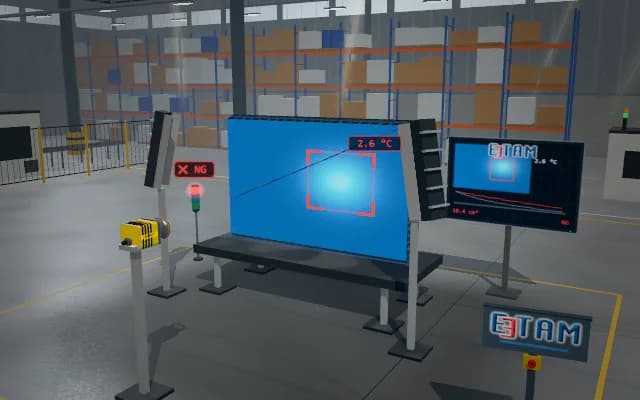
A honeycomb panel in the maintenance area is scanned externally by thermal and visible cameras. Cold regions associated with remaining frozen water are mapped to visible references and shown as review locations in the maintenance report.
Panel coordinates of the cold region and the registered images enter the maintenance report; the operator assigns the corresponding cell region to further review.

- 01 Reference
- 02 Register
- 03 Scan
- 04 Anomaly
- 05 Report
Panel edges and fasteners are located.
- Temperature difference from surroundings
- —
- Cold-region area
- —
- Distance from panel reference
- —
Scenes are illustrative simulations; they are not customer references or performance guarantees.
Need
Water remains inside closed panel cells and is not visible from outside. The temperature difference fades as the panel approaches ambient temperature, and ambient radiation reflected by the skin can mislead the interpretation of a cold region.
Solution approach
Water left in the cells after flight warms up more slowly than its surroundings and leaves a cold trace on the skin. Thermal and visible cameras on a carriage axis scan the same surface together. The cold region is compared with the surrounding skin and mapped to panel coordinates using fastener and edge references in the visible image.
Process steps
- 01
Reference
Panel edges and fasteners are located.
- 02
Register
Thermal and visible views are registered.
- 03
Scan
The cameras travel across the panel and the thermal map builds up.
- 04
Anomaly
The cold area is compared with the surrounding surface.
- 05
Report
Panel coordinates are passed to the maintenance report.
Related applications




Let us assess your application together
We test your sample in our laboratory and report on resolution, optics and lighting selection.