
Pixel masks separating adhesive gaps from overflow
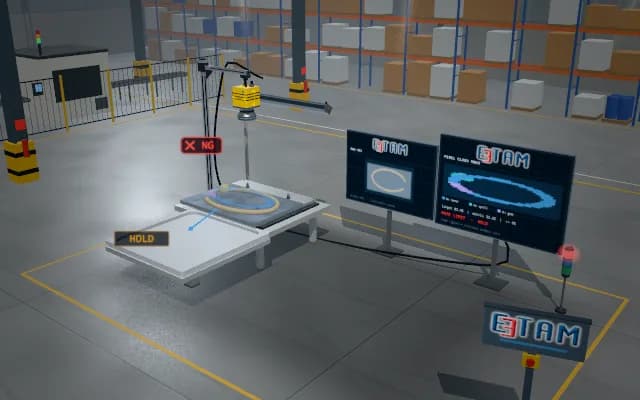
A gap and overflow on a shiny adhesive bead can share one bounding box; box detection alone separates neither material continuity nor local overflow area.
Attach gap and overflow masks to the ROI record and hold a discontinuous sample. Pixel area is not presented as a physical volume measurement.
- 01 Position
- 02 Raw image
- 03 Mask generation
- 04 Region calculation
- 05 Decision
Register the ROI; occluded areas are excluded from visible-area calculations.
- Target-mask area
- —
- Connected regions / objects
- —
- Decision metric
- —
Scenes are illustrative simulations; they are not customer references or performance guarantees.
Solution approach
Pixel or instance masks are derived from the raw image; a coded legend separates background and target regions. Area fractions use only the visible ROI. Show material, gap and overflow masks with separate codes; interrupted connectivity and overflow fraction are different decision reasons.
Process steps
- 01
Position
Register the ROI; occluded areas are excluded from visible-area calculations.
- 02
Raw image
Keep the controlled raw image in a separate panel.
- 03
Mask generation
Coded colours show target classes or object identities.
- 04
Region calculation
Derive area fraction, connected regions and the decision metric from the mask.
- 05
Decision
Hold an out-of-limit sample for review with its local region marked.
Related applications




Let us assess your application together
We test your sample in our laboratory and report on resolution, optics and lighting selection.