
Palletizing vision-located cartons into a layer pattern
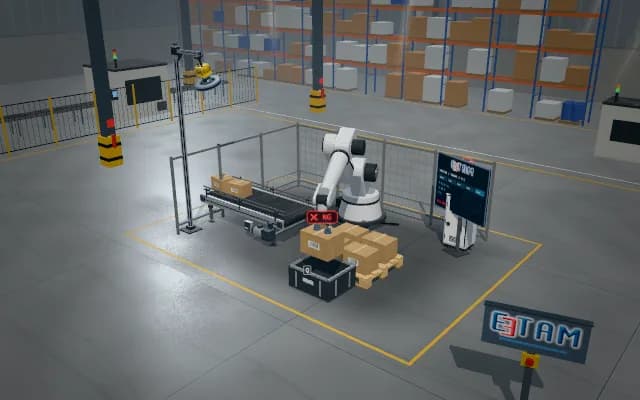
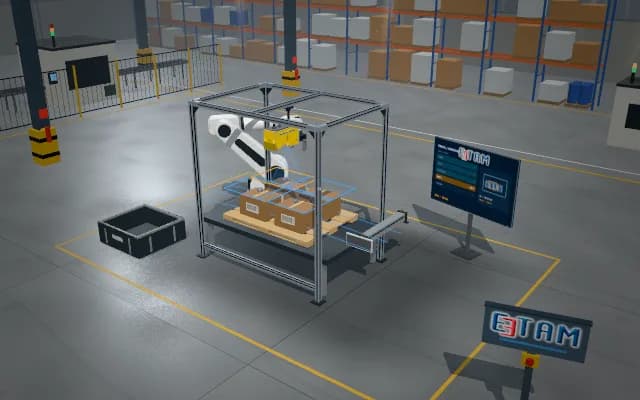
A completed simulated pallet placement links to carton identity and its layer slot. Occupied slots, uncertain height or wrong orientation hold layer progression. Calibration, grip and PLC sequence are animated as an illustrative simulation.
A completed simulated pallet placement links to carton identity and its layer slot. Occupied slots, uncertain height or wrong orientation hold layer progression.
- 01 Image and source
- 02 Pose and plan
- 03 Grip and lift
- 04 Transfer
- 05 Release and final check
Image the infeed carton and pallet layer; define source and destination separately.
- Illustrative pose offset
- —
- Illustrative grip confirmation
- —
- Completed transfers
- —
Scenes are illustrative simulations; they are not customer references or performance guarantees.
Need
Infeed carton orientation and pallet layer patterns can vary. Releasing without validating target slot and height can overhang a layer or conflict with a previous carton; source and layer target need separate tracking.
Solution approach
Image the carton surface and infeed pose; associate the pallet layer and empty slot with the recipe. Grip, lift from the infeed and carry above the layer. Represent lowering to target height, release and final-position verification within one cycle record.
Process steps
- 01
Image and source
Image the infeed carton and pallet layer; define source and destination separately.
- 02
Pose and plan
Associate carton orientation with an empty layer slot; show placement height in the simulated plan.
- 03
Grip and lift
Grip the carton and lift it clear of the infeed conveyor.
- 04
Transfer
Carry above the layer slot; the gripper moves together with the carton.
- 05
Release and final check
Lower to target height and release; count the transfer after verifying layer placement.
Related applications




Let us assess your application together
We test your sample in our laboratory and report on resolution, optics and lighting selection.